InSync enables you to capture patient's electronic signature.
You can capture patient's signature using three different methods:
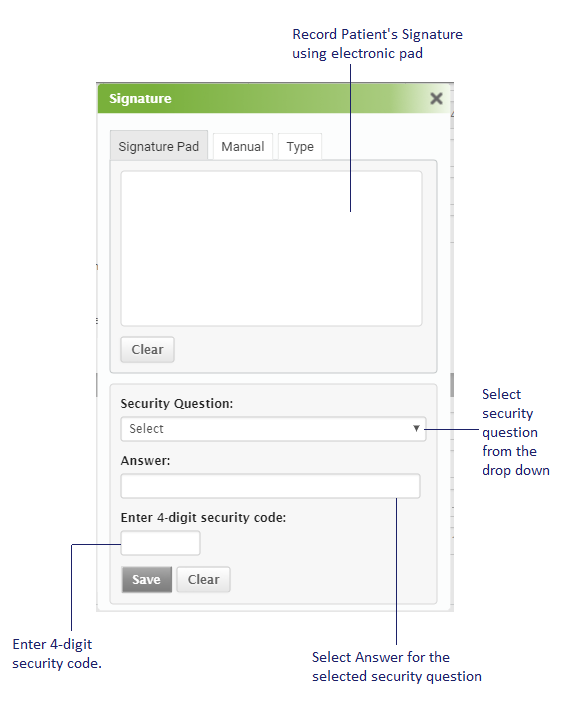
To record signature electronically:
Note: To record Patient's signature electronically, you need to install drivers to capture signatures electronically.
| 1. | Using the Signature pad, record the patient's signature. |
| 2. | Select the Security Question from the drop down list. |
| 3. | Fill in the answer for the selected security question. |
| 4. | Enter 4-digit security code. |
| 5. | Click Save to record patient signature. |
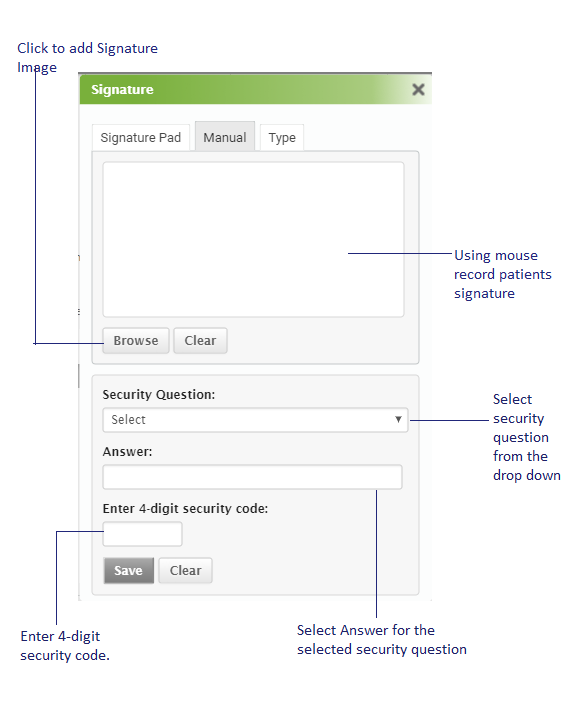
To record signature manually:
| 1. | Using the computer mouse, record the patient's signature in the given box. |
| 2. | You can also insert image for the captured Signature. |
| 3. | Select the Security Question from the drop down list. |
| 4. | Fill in the answer for the selected security question. |
| 5. | Enter 4-digit security code. |
| 6. | Click Save to record patient signature. |
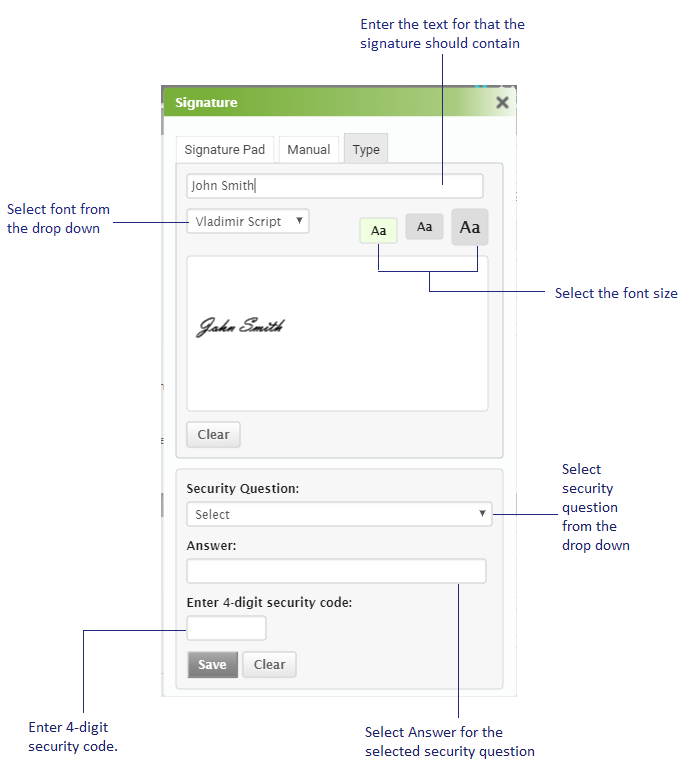
You can also Type and create signature accordingly:
| 1. | In the Type Your Name text box, fill in the name you want in your signature. |
| 2. | Select the font from the drop down list to set the font. |
| 4. | Select the Security Question from the drop down list. |
| 5. | Fill in the answer for the selected security question. |
| 6. | Enter 4-digit security code. |
| 7. | Click Save to record patient signature. |